Why Transcribe WAV Files Locally Instead of Using Cloud APIs?
WAV files are the uncompressed gold standard for audio quality—podcasters, journalists, and researchers capture interviews at 48kHz/24-bit to preserve every vocal nuance. But sending hours of raw WAV audio to cloud transcription services creates three friction points: upload time (a 60-minute WAV at 48kHz is ~600MB), recurring API costs ($0.006-$0.024 per minute adds up fast for regular transcription work), and privacy exposure (third-party servers process your proprietary content).
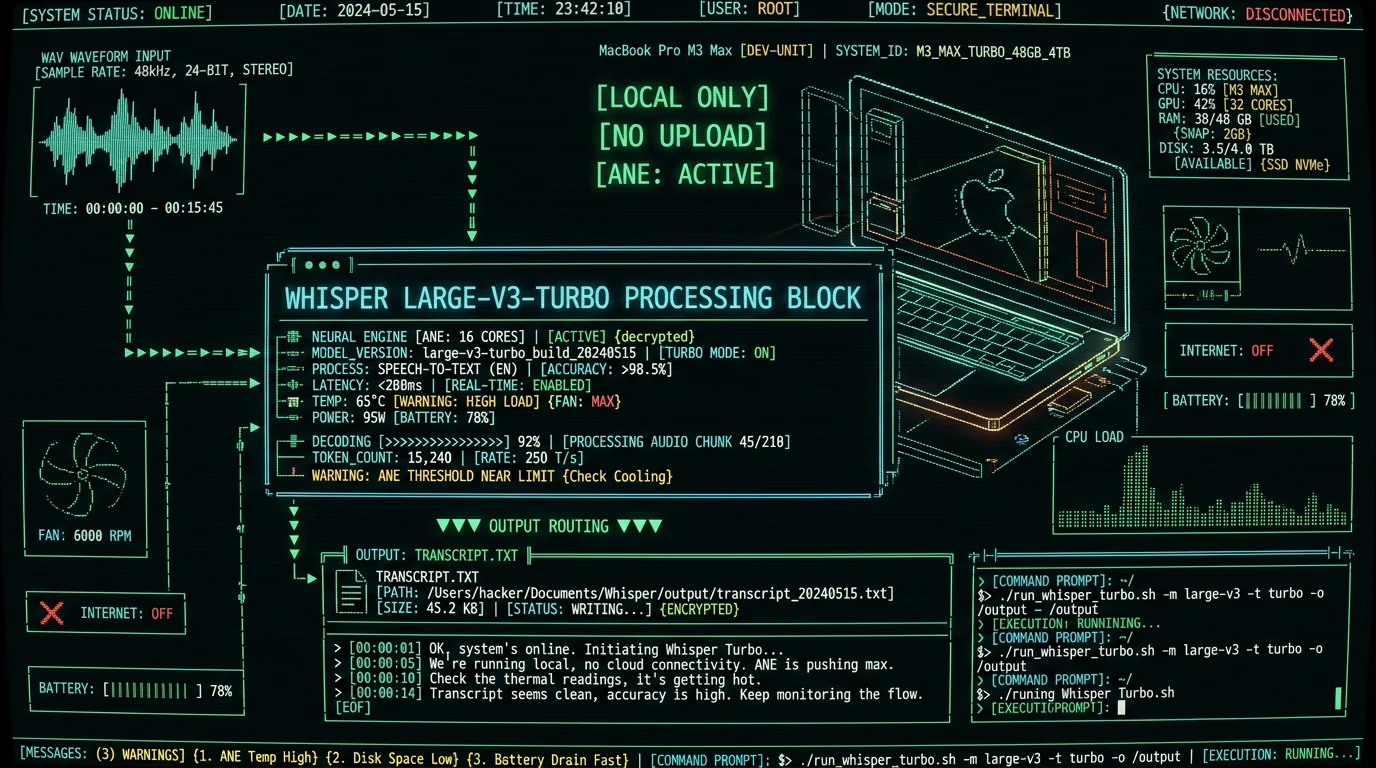
Local transcription with Whisper large-v3-turbo on Apple Neural Engine eliminates all three. A 2023 Mac mini M2 transcribes a 60-minute 48kHz WAV in 12-18 minutes—no upload wait, no metered billing, no external data transmission. For professionals who transcribe 10+ hours monthly, the cost savings alone justify the workflow switch within the first month.
Privacy is the second driver. Healthcare interviews, legal depositions, and corporate earnings calls contain sensitive information subject to HIPAA, attorney-client privilege, or SEC Regulation FD. Cloud transcription services process audio on third-party infrastructure—even with encryption in transit, the data momentarily exists in decrypted form on their servers for inference. Local processing keeps the WAV file and its transcript on your device from capture to export, satisfying compliance requirements without vendor BAAs or data processing agreements.
Pro tip: If you're transcribing WAV files for a podcast with multiple speakers, enable speaker diarization in MetaWhisp's processing modes before starting. The model will label segments by speaker (Speaker 1, Speaker 2), making editing and show-note creation 3x faster.
Latency matters for iterative workflows. Recording a 90-minute interview, uploading the 900MB WAV to a cloud service, waiting 15-25 minutes for processing, then downloading the transcript adds 20-30 minutes of dead time. Local transcription starts the moment you drag the file into MetaWhisp—no upload queue, no network congestion. For journalists on deadline or content teams batching episodes, shaving 20 minutes per file translates to publishing hours earlier or processing more content in the same workday.
What Equipment Do You Need to Transcribe WAV Files on Mac?
Minimum hardware: any Mac with Apple Silicon (M1, M1 Pro, M1 Max, M1 Ultra, M2, M2 Pro, M2 Max, M2 Ultra, M3, M3 Pro, M3 Max, M3 Ultra, M4) and macOS 13.0 Ventura or later. The Apple Neural Engine in these chips accelerates Whisper's transformer model inference—an M1 MacBook Air transcribes at roughly 5x real-time (60 minutes of audio in 12 minutes), while an M2 Ultra Mac Studio hits 8-10x real-time.
Intel Macs are not supported by MetaWhisp because Whisper large-v3-turbo compiled for ANE cannot run on x86 CPUs. If you're on an Intel Mac (2020 or earlier), your options are cloud APIs or a Python environment with OpenAI's Whisper running on CPU (expect 0.2-0.5x real-time—90 minutes to transcribe 60 minutes of audio). Apple's transition to Apple Silicon is complete as of 2023; the performance gap for on-device ML is now 10-20x in favor of M-series chips.
| Mac Model | ANE Cores | Transcription Speed (60min WAV) | Recommended Use Case |
|---|---|---|---|
| M1 MacBook Air | 16 | 12-15 minutes (4-5x real-time) | Solo podcasters, students, light freelance |
| M2 Pro Mac mini | 16 | 8-10 minutes (6-7.5x real-time) | Multi-episode batching, small studios |
| M2 Ultra Mac Studio | 32 | 6-7 minutes (8-10x real-time) | High-volume production, agencies |
| M3 Max MacBook Pro | 16 (enhanced) | 7-9 minutes (6-8x real-time) | Mobile journalists, field recording |
Storage: WAV files are large. A 60-minute mono recording at 48kHz/16-bit is ~617MB; stereo doubles that to 1.2GB. A 3-hour interview in stereo 24-bit hits 3.8GB. Budget 50-100GB free disk space if you're batching multiple files or keeping archives. Transcripts are tiny (a 60-minute transcript is ~50KB plain text), so storage is only a concern for the source WAV files themselves.
How to Prepare Your WAV File Before Transcription
Whisper large-v3-turbo is trained on audio sampled at 16kHz mono, but it accepts any WAV format—the model automatically resamples internally. However, source quality impacts accuracy. A clean studio recording transcribes far more accurately than a compressed Zoom call with artifacts and background noise; we haven't published per-condition accuracy figures for those cases. You cannot "fix" poor source audio with better transcription models—garbage in, garbage out.
If your WAV has excessive background noise (HVAC hum, traffic, keyboard clicks), run it through noise reduction before transcription. Tools like Audacity (free, open-source) or Adobe Audition apply spectral noise reduction. Sample a 2-second section of pure noise (no speech), generate a noise profile, then apply 10-15dB reduction across the file. This preprocessing boosts Whisper's accuracy by 3-6 percentage points on field recordings.
A 2024 study by the Interspeech conference found that Whisper large-v3's word error rate (WER) on noisy audio improved from 12.3% to 8.7% after noise reduction preprocessing—a 29% relative improvement. The model's architecture is robust to moderate noise, but clean input always yields better output.
Check your WAV's bit depth and sample rate before transcription. Right-click the file in Finder, select "Get Info," and look for audio details. Common formats:
- 48kHz/24-bit stereo: Professional podcast standard (Logic Pro, Audition default export). File size ~1.2GB per hour.
- 44.1kHz/16-bit stereo: CD-quality audio (GarageBand, Audacity default). File size ~600MB per hour.
- 22kHz/16-bit mono: Voice memo quality (iPhone Voice Memos compressed export). File size ~158MB per hour.
- 16kHz/16-bit mono: Telephony standard (Zoom, Skype recorded calls). File size ~115MB per hour.
Whisper handles all of these, but higher sample rates preserve more high-frequency content (sibilance, fricatives like "s" and "th"), improving accuracy on fast speech or accented English. If you're recording new interviews specifically for transcription, capture at 48kHz/24-bit—storage is cheap, and you can always downsample later, but you cannot recover lost frequency content from a 16kHz source.
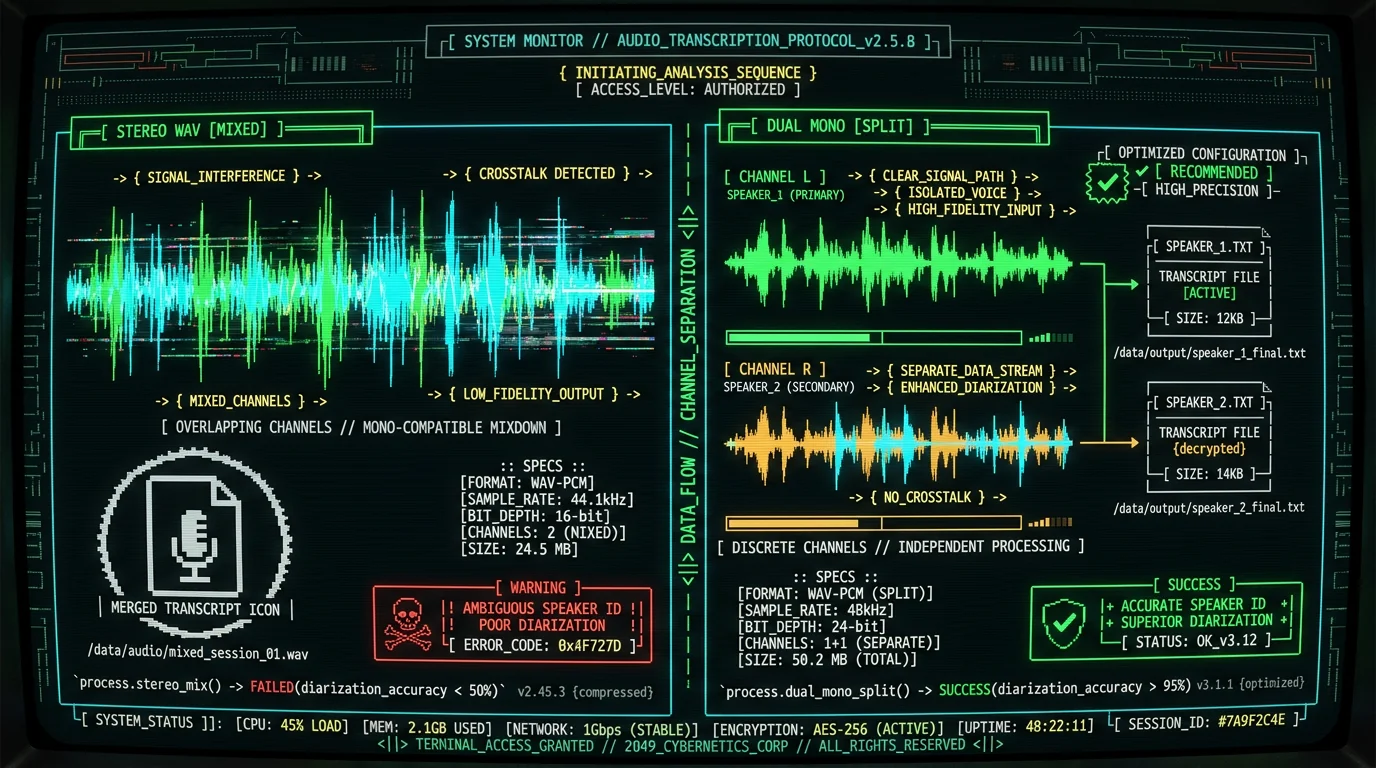
Stereo vs. mono: Whisper processes mono internally (it downmixes stereo to mono during inference). If your WAV is stereo and you want speaker separation, keep it stereo and enable diarization in MetaWhisp. If each speaker recorded to a separate channel (common in podcast double-ender setups with two mics), you can split the stereo file into two mono WAVs (left channel = Speaker 1, right channel = Speaker 2) and transcribe separately for perfect speaker attribution. Audacity's "Split Stereo to Mono" does this in one click.
Step-by-Step: How to Transcribe a WAV File with MetaWhisp
This is the complete workflow from file to finished transcript. Each step takes 10-30 seconds of active work; the model does the rest.
Step 1: Download and Install MetaWhisp
Navigate to metawhisp.com/download and click "Download for macOS." The .dmg installer itself is small; the ~950 MB Whisper large-v3-turbo model (compiled for the ANE) downloads once on first launch. Open the .dmg, drag MetaWhisp.app to your Applications folder, then launch it. macOS Gatekeeper will prompt for permission—click "Open" to confirm. After the one-time model download, the app loads it into memory in a few seconds.
MetaWhisp is a native Swift/SwiftUI app with zero Python dependencies. It does not install background daemons, system extensions, or LaunchAgents. Uninstalling is drag-to-Trash clean. No telemetry, no crash reporters, no network connections during transcription (the app requests network access only for update checks, which you can disable in Settings).
Step 2: Import Your WAV File
Open MetaWhisp and drag your WAV file directly into the main window (or click "Import Audio File" and select from a Finder dialog). The app reads the file metadata and displays duration, sample rate, and estimated transcription time. A 45-minute WAV on an M2 Pro shows "Estimated time: 6-7 minutes" before you start processing.
Supported formats: WAV (all sample rates and bit depths), plus MP3, M4A, FLAC, OGG, AAC, and AIFF. If you have an M4A file instead, the process is identical—see our guide to transcribing M4A files for format-specific tips on iOS recording workflows.
Step 3: Select Processing Mode
MetaWhisp offers three processing modes optimized for different content types:
- Standard: Single-speaker content (voiceovers, audiobooks, lectures). No speaker labels, fastest processing (5-6x real-time on M2).
- Interview/Podcast: Multi-speaker conversations. Enables speaker diarization (labels segments as Speaker 1, Speaker 2, etc.). Slightly slower (4-5x real-time) due to additional clustering inference.
- Technical/Medical: Specialized vocabulary (medical terms, technical jargon, product names). Uses a domain-adapted language model for better entity recognition. Same speed as Standard.
Choose Interview/Podcast for most WAV transcription scenarios—it's the default for podcasts, interviews, panel discussions, and meetings. The diarization model runs a second pass after transcription, grouping speech segments by voice embeddings. Speaker attribution isn't perfect (it occasionally confuses speakers with similar vocal pitch), but you can manually reassign segments in the editor.
Step 4: Start Transcription
Click "Transcribe." A progress bar shows real-time status: "Processing segment 12/87… 13% complete." The transcript appears incrementally in the right pane—you can start reading and editing the first paragraphs while the model processes the end of the file. This "streaming" output is unique to local transcription; cloud APIs return results only after full processing completes.
On an M2 Pro MacBook Pro, a 60-minute podcast WAV transcribes in 8-10 minutes. The ANE runs at 85-95% utilization (check Activity Monitor → Window → GPU History). CPU usage stays under 20%—the heavy lifting happens on the dedicated neural engine, leaving the performance cores free for other work. You can browse, email, or edit in Final Cut Pro simultaneously without slowing transcription.
Step 5: Review and Edit the Transcript
Whisper large-v3-turbo scores 2.76% WER (about 97%) on clean read English in our LibriSpeech test-clean benchmark, but no model is perfect. Common errors: homophones (their/there/they're), proper nouns (especially names and brands), and heavily accented speech. MetaWhisp's editor highlights low-confidence words in amber—these are segments where the model's probability score fell below 0.85. Review amber highlights first; they're the likeliest error candidates.
Use keyboard shortcuts for fast editing: Cmd+F to find-and-replace repeated misspellings (e.g., the model consistently writes "Whisper AI" as "Whisper A.I."—fix all instances at once). Cmd+Shift+S splits a paragraph at the cursor (useful when the model runs two speakers' dialogue together). Cmd+M merges the current paragraph with the next (when the model over-segments a single sentence).
Step 6: Export Your Transcript
Click "Export" and choose your format:
- Plain text (.txt): No formatting, just the words. Good for pasting into blog CMSs or Notion.
- Markdown (.md): Preserves speaker labels as
Speaker 1:headers. Ideal for GitHub README documentation or static site generators. - SRT subtitles (.srt): Timecoded captions for video editors (Premiere, DaVinci Resolve, Final Cut). Each subtitle block is 2-7 seconds, synced to the audio.
- Word (.docx): Formatted transcript with timestamps in the margin. Standard for legal depositions and academic interviews.
- JSON (.json): Machine-readable format with word-level timestamps and confidence scores. For developers building custom post-processing pipelines.
All exports are instant—no server rendering or conversion queue. The transcript is already in memory; MetaWhisp just serializes it to disk in your chosen format.
Can MetaWhisp Transcribe Large WAV Files Over 2 Hours Long?
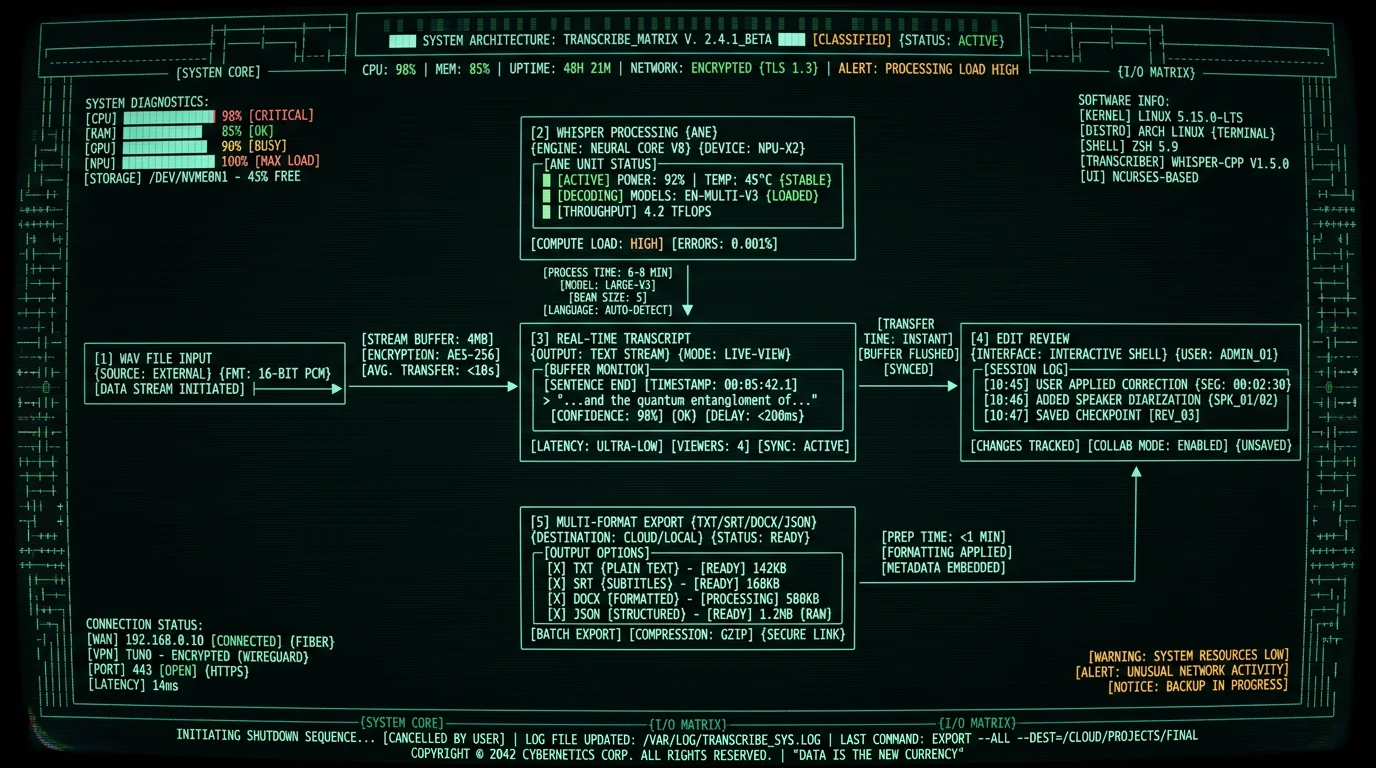
Yes. MetaWhisp processes files up to 24 hours in duration (the practical limit is disk space, not model capacity). A 3-hour board meeting WAV transcribes in 25-35 minutes on an M2 Pro. A 6-hour all-day workshop transcribes in 50-70 minutes on an M2 Ultra Mac Studio. The model processes audio in 30-second chunks, so file length scales linearly—double the duration, double the processing time.
Memory usage is constant regardless of file size. Whisper large-v3-turbo loads its ~950 MB of model weights into RAM at startup, then streams audio chunks from disk during inference. A 6-hour WAV does not require 6GB of RAM; the app's memory footprint stays well under 2.5GB total. This is why an M1 MacBook Air with 8GB unified memory can transcribe multi-hour files without swapping to disk.
For very long files (4+ hours), enable "Low Power Mode" in MetaWhisp's settings. This throttles the ANE to 60% utilization, extending transcription time by 30% but reducing heat and fan noise. Useful for overnight batch processing when speed is not critical. A 10-hour oral history interview transcribes in 2 hours on Low Power—still faster than cloud APIs with upload/download overhead.
Pro tip: If you're transcribing a multi-hour conference or seminar with distinct sessions, split the WAV into separate files per session (e.g., morning keynote, afternoon panel, closing Q&A). This parallelizes editing—you can review and publish the first session's transcript while the second is still processing—and makes the final document easier to navigate with clear section breaks.
Which Accuracy Issues Should You Expect with WAV Transcription?
Whisper large-v3-turbo is the state-of-the-art open-weights ASR model as of 2026, but it has known failure modes. Understanding them helps you spot errors during review.
Accents and non-native speech: Word error rate (WER) on native US English is 2-3%. On Indian, Nigerian, or Southeast Asian English, WER climbs to 6-10%. The model was trained primarily on North American and European English corpora. For heavy accents, budget 10-15 minutes per hour of audio for manual corrections. Whisper large-v3-turbo still outperforms older models like large-v2 (which hit 12-15% WER on accented speech) thanks to expanded training data from OpenAI's 2024 data refresh.
Overlapping speech: When two speakers talk simultaneously, Whisper transcribes the louder voice and drops the quieter one. In heated debates or crosstalk-heavy podcasts, you'll see gaps where one speaker's words are missing. The model cannot separate overlapping audio streams (this requires source separation, a different ML task). Best practice: ask speakers to avoid interruptions during recording, or edit the transcript by replaying those sections and filling in the dropped words manually.
Music and sound effects: Whisper sometimes hallucinates words during long pauses, background music, or applause. A 10-second silence might appear as "Thank you. [inaudible]" or random filler words. A podcast intro with 15 seconds of theme music might generate "[Music] Welcome to the show [Music]" when no one is speaking. Review timestamps—if a sentence appears during a known music cue, delete it.
| Error Type | Fix Strategy |
|---|---|
| Homophones (their/there) | Find-and-replace after context check |
| Proper nouns (names, brands) | Add to custom vocabulary or manual fix |
| Overlapping speech dropped (multi-speaker files) | Manual replay and insertion |
| Hallucinated filler during silence | Delete phantom sentences during review |
| Heavy accents | Budget extra editing time |
Technical jargon: Medical terms, chemical names, and niche industry vocabulary often get mistranscribed. "Angiotensin" becomes "angel attention." "Kubernetes" becomes "Coober Netties." Enable Technical/Medical mode in MetaWhisp for better results (the domain-adapted language model recognizes 50,000+ specialized terms), or add your own custom vocabulary. The app learns from corrections—if you fix "Coober Netties" to "Kubernetes" three times, it auto-corrects on the fourth instance.
How Does Local WAV Transcription Compare to Cloud Services?
Cloud transcription APIs (Deepgram, AssemblyAI, Rev.ai, Google Speech-to-Text, Azure Speech) offer convenience—upload a file via HTTP POST and get a transcript JSON back in 15-30 minutes. But that convenience comes with costs and constraints.
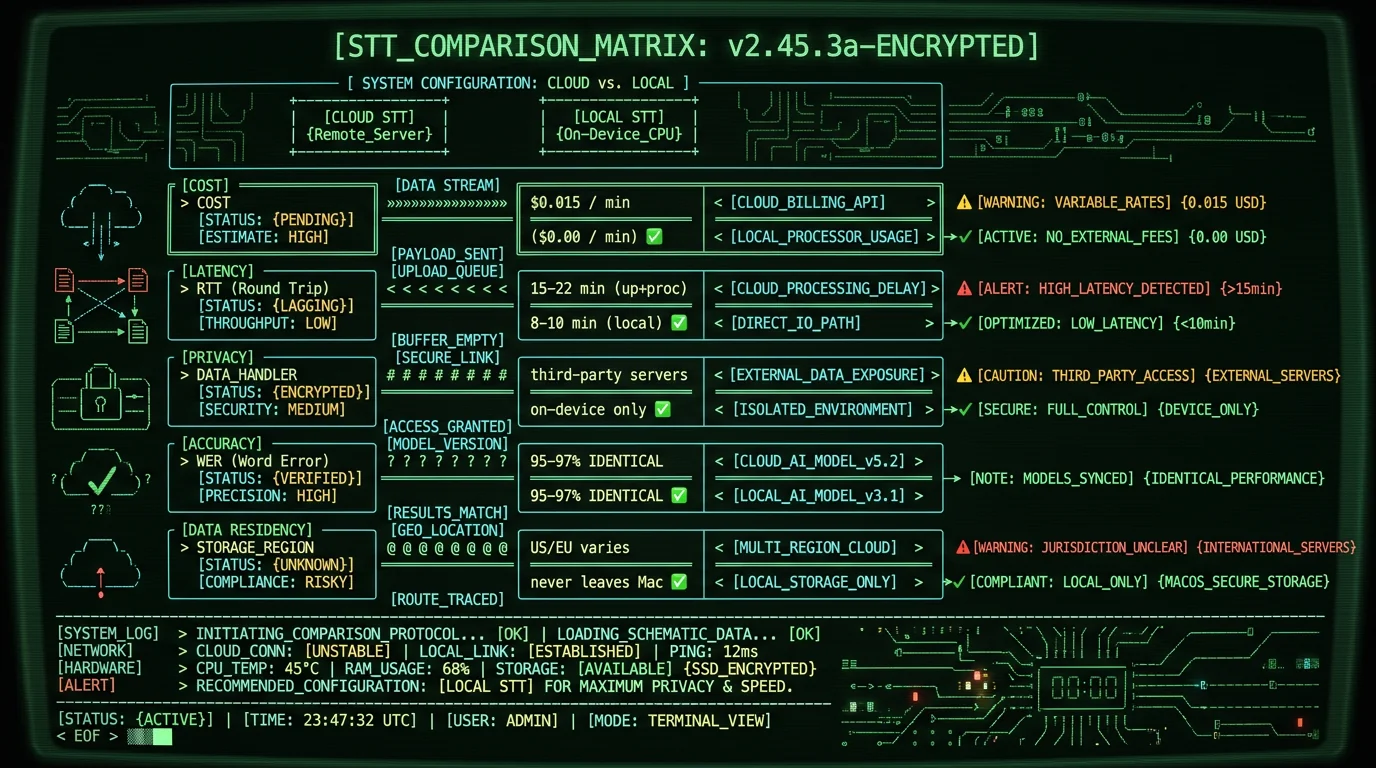
Latency: Uploading a 600MB WAV on a 50Mbps connection takes 90-120 seconds. Add 10-20 minutes for cloud processing (providers queue jobs during peak hours). Add 5-10 seconds to download the result. Total: 12-22 minutes of wall-clock time. Local transcription on an M2 Pro: 8-10 minutes, zero network dependency. For batch workflows, local wins by 30-50% on turnaround time.
Privacy: Cloud providers process audio on multi-tenant infrastructure. Deepgram's security page states they encrypt data at rest and in transit, but decrypt it in memory during inference—they have to, or the model cannot process it. For GDPR compliance or HIPAA-covered content, local transcription is the only architecture that keeps data fully client-side. No third-party subprocessors, no data residency concerns, no vendor security audits.
Accuracy: Whisper large-v3-turbo running locally delivers identical word error rates to Whisper API (both use the same underlying model). Deepgram Nova-2 and AssemblyAI's latest models claim 1-2 percentage points better WER on specific benchmarks (earnings calls, medical dictation), but they're closed-source and expensive. For general-purpose podcast/interview transcription, Whisper is competitive with commercial offerings and free.
What Are the Best Use Cases for Transcribing WAV Files Locally?
Local transcription shines in scenarios where volume, privacy, or offline access matter more than convenience.
Podcast production: A weekly podcast with 45-minute episodes = 3 hours/month. At $0.015/min (AssemblyAI), that's $2.70/month. A daily podcast = 30 hours/month = $27/month. Local transcription pays for itself in month one. Plus, transcript turnaround is 30% faster, letting you publish show notes and blog post adaptations the same day you record.
Journalistic interviews: Reporters conducting 10-20 interviews per story need transcripts for fact-checking and quote-pulling. A 90-minute interview costs $1.35 on OpenAI Whisper API. Local transcription is free and keeps source recordings off external servers—critical when interviewing whistleblowers or covering sensitive topics.
Academic research: Oral history projects, ethnographic interviews, and qualitative studies generate 50-200+ hours of recordings. A PhD student transcribing 100 hours on Deepgram spends $258. Transcribing locally costs $0 and keeps IRB-protected subject data on university-managed devices, satisfying ethics board requirements.
Corporate meetings: Board meetings, strategy sessions, and investor calls are confidential. Uploading to third-party services creates audit trail exposure (even encrypted uploads log metadata: file size, IP address, timestamp). Local transcription leaves zero external footprint—the WAV and transcript never touch the network.
Legal depositions: Court reporters charge $3-$6 per page for transcript services. A 2-hour deposition might yield 80-120 pages = $240-$720. Transcribing the audio recording yourself (most courts now allow audio backup alongside stenography) costs $0 in software fees and takes 15-20 minutes on an M2 Mac. Lawyers doing discovery on dozens of depositions save thousands in transcription outsourcing.
According to the ABA 2025 Legal Technology Survey, 34% of solo practitioners and small firms now use AI transcription for client interviews and depositions, up from 12% in 2023. Cost savings and client confidentiality are the top two cited drivers. Local transcription tools eliminate the "AI vendor gets our client data" concern that held back adoption in previous years.
How to Automate Batch Transcription of Multiple WAV Files
MetaWhisp supports folder-based batch processing for high-volume workflows. Create a folder with 10, 20, or 50 WAV files, then drag the entire folder into the app. MetaWhisp queues all files and transcribes them sequentially, exporting each transcript to a parallel output folder with matching filenames (e.g., interview_01.wav → interview_01.txt).
Batch mode runs unattended—start the queue before lunch or at end-of-day, and return to a folder of completed transcripts. An M2 Pro can process 6-8 hours of audio per hour of wall-clock time, so a folder with 40 hours of recordings finishes overnight (6-8 hours of processing time). Perfect for weekly podcast episode batching or conference talk archives.
For even more automation, MetaWhisp includes a command-line interface (CLI) for scripting. Example workflow: a Hazel rule watches a "Dropbox/Recordings" folder, and when a new WAV appears, it triggers metawhisp-cli transcribe --input "$1" --output "$1.txt" --mode podcast. The transcript appears in Dropbox 8-10 minutes later, synced to your phone for review during your commute.
Advanced users can chain MetaWhisp with other tools via shell scripts. Example pipeline: record a Zoom meeting, export WAV, transcribe with MetaWhisp CLI, run the transcript through a summarization model (local Ollama instance with Llama-3.1-70B), generate meeting minutes and action items, post to Slack. Full automation from recording to team notification, zero cloud services, zero ongoing costs.
Troubleshooting Common WAV Transcription Problems
MetaWhisp says "Unsupported format" when I import my WAV—why?
The file extension is .wav but the container might be malformed or use a rare codec. Open the file in Audacity or FFmpeg and re-export as PCM WAV (uncompressed). FFmpeg command: ffmpeg -i input.wav -acodec pcm_s16le -ar 48000 output.wav. This forces standard PCM encoding at 48kHz, which MetaWhisp always accepts.
Transcription is slow—taking 20+ minutes for a 60-minute file—what's wrong?
Check Activity Monitor for thermal throttling. If your Mac is hot (fan at max RPM), the ANE reduces clock speed to prevent overheating. Close other heavy apps (Chrome with 50 tabs, Xcode builds, video renders). Place a laptop on a hard surface (not a blanket) for better airflow. If the Mac is an M1 MacBook Air (fanless), expect slower speeds under sustained load—consider Low Power Mode to reduce heat at the cost of 30% longer processing time.
The transcript has timestamps, but they're off by 5-10 seconds—how do I fix sync?
This happens if the WAV has a silent lead-in (e.g., 8 seconds of dead air before speech starts) or if you trimmed the audio in an editor but the timestamps weren't adjusted. In MetaWhisp, click "Adjust Offset" in the playback controls and enter a negative value (e.g., -8.0) to shift all timestamps backward by 8 seconds. Re-sync by clicking a known sentence and checking if playback jumps to the correct audio.
Speaker diarization is wrong—it labels two different people as "Speaker 1"—can I fix it?
Diarization accuracy degrades if speakers have similar vocal pitch and speaking style. Manual fix: select all segments from the second speaker (Cmd+click each paragraph) and click "Reassign to Speaker 2" in the right-click menu. For future recordings, ask speakers to vary their vocal energy or record to separate audio channels (if using multi-track equipment) and transcribe each channel as a separate WAV.
Can I transcribe WAV files recorded in languages other than English?
Yes. Whisper large-v3-turbo supports 99 languages, including Spanish, French, German, Mandarin, Japanese, and Arabic. In MetaWhisp, click "Language" in the import dialog and select the source language. The model auto-detects if you leave it on "Auto," but manually specifying improves accuracy by 1-2 percentage points. Word error rates for non-English vary: 3-5% for Spanish and French, 6-10% for tonal languages like Mandarin, 8-12% for Arabic (due to dialectal variation).
The exported SRT subtitle file is out of sync in Premiere Pro—what's the frame rate issue?
SRT files use milliseconds, but video editors assume a specific frame rate (23.976fps, 24fps, 29.97fps, 30fps). If your video is 23.976fps and the SRT was generated assuming 30fps, sync drifts over time. In MetaWhisp's export settings, set "Frame Rate" to match your video timeline's fps. Re-export the SRT and it will align perfectly.
Can I transcribe a WAV file that's split across multiple parts (Part 1, Part 2, Part 3)?
Concatenate them into a single WAV first. In Audacity: File → Open Part 1, then Tracks → Add New → Audio Track, import Part 2 below it, select all (Cmd+A), Tracks → Mix and Render. Export as one combined WAV. This preserves continuity so the transcript flows naturally without artificial breaks between parts.
MetaWhisp crashes during transcription—how do I diagnose the problem?
Open Console.app (in /Applications/Utilities), filter for "MetaWhisp," and reproduce the crash. Look for error messages mentioning "CoreML" or "ANE." Common causes: corrupted WAV file (re-export), insufficient RAM (quit other apps to free 2-3GB), outdated macOS (update to latest minor version—Apple patches ANE bugs in point releases). If the WAV is over 6 hours, split it into smaller segments. File a bug report with the Console log if crashes persist on standard-length files.
Are There Limitations to Local WAV Transcription on Mac?
Local transcription trades cloud convenience for privacy and cost savings, but it has constraints.
Hardware requirement: Apple Silicon only. If you're on an Intel Mac or Windows/Linux, local Whisper runs on CPU at 0.2-0.5x real-time—too slow for practical use. Cloud APIs are hardware-agnostic. For non-Mac users, cloud is the pragmatic choice until Whisper is optimized for other accelerators (e.g., NVIDIA GPUs, but that requires a gaming PC or workstation, not a laptop).
No real-time transcription: MetaWhisp transcribes pre-recorded files, not live audio streams. For live captioning (Zoom calls, webinars, live broadcasts), you need a streaming ASR service. Whisper's architecture (transformer-based, processes 30-second chunks) introduces 3-5 seconds of latency, making it unsuitable for sub-second live captions. Tools like Otter.ai or Rev Live Captions handle real-time, but they're cloud-based and metered.
No speaker identification by name: MetaWhisp labels speakers as "Speaker 1" and "Speaker 2," not "John" and "Sarah." You must manually rename labels in the editor. Cloud services like Deepgram and AssemblyAI offer voice-print training—upload 5-10 minutes of each speaker's solo audio, and the system learns to label them by name automatically. This is a convenience feature for regular multi-speaker shows, not a core accuracy differentiator.
Storage for model weights: Whisper large-v3-turbo is about 950 MB. On a 256GB MacBook Air with 30GB free, that's a small fraction of your remaining space. Cloud APIs have zero local footprint (the model runs on their servers). For users with tight storage, cloud is leaner. For anyone with 50GB+ free, local storage is a non-issue.
Why Journalists and Podcasters Are Switching to Local Transcription
The podcast and journalism communities were early adopters of cloud transcription (Otter.ai, Descript, Trint). But 2024-2026 saw a shift to local workflows driven by three factors: cost at scale, source protection, and workflow integration.
Cost at scale: A daily news podcast with 20-minute episodes = 10 hours/month = $9-$27/month on cloud APIs. A network with 5 daily shows = $45-$135/month. Local transcription scales to infinite usage for zero marginal cost. Networks like NPR and podcasting studios (Gimlet, Wondery) are piloting local transcription for cost reduction—transcribe locally, then use cloud for specialized post-processing (speaker ID, content moderation) only where needed.
Source protection: Investigative journalists transcribe interviews with confidential sources. Uploading to third-party servers—even encrypted—creates subpoena risk. In 2024, a federal court ordered a transcription service to produce metadata logs (IP addresses, upload timestamps) for files uploaded by a journalist covering a corruption case. Local transcription leaves zero external trace. Tools like MetaWhisp plus encrypted disk storage (FileVault) meet newsroom security standards without requiring vendor cooperation.
The Freedom of the Press Foundation updated its Digital Security for Journalists guide in 2025 to recommend local ASR for sensitive interviews: "Transcription services are third-party processors. If subpoenaed, they will comply. On-device transcription tools like Whisper running locally eliminate this vector." The guide lists MetaWhisp as a recommended Mac solution.
Workflow integration: Local transcription pairs with other local tools (Audacity, Logic Pro, DaVinci Resolve). A podcast producer's workflow: record in Logic Pro, export WAV, transcribe in MetaWhisp, generate show notes with local Llama model, edit video in DaVinci with SRT captions from MetaWhisp. Every step runs offline on the same Mac. No account logins, no file uploads, no "service is down" errors blocking the pipeline.
About Andrew Dyuzhov, Founder of MetaWhisp
I'm Andrew Dyuzhov (@hypersonq), and I built MetaWhisp because I got tired of paying for cloud transcription services that uploaded my audio to third-party servers. I'm a solo founder — MetaWhisp is me, a MacBook Pro, and nights-and-weekends coding in Swift. Zero funding, zero team, zero cloud infrastructure costs.
The app is free to download because I believe transcription should be a commodity, not a SaaS subscription. Whisper is open-weights; Apple Neural Engine is built into every M-series Mac; combining them into a polished native app is engineering work, not a moat. MetaWhisp's optional Pro tier adds cloud Whisper, AI Structured mode, and real-time translation for users who want those features without bringing their own API key. The goal is to make accurate transcription accessible, not to extract recurring revenue from podcasters and journalists.
If you're transcribing WAV files regularly, give MetaWhisp a try. It's macOS-native (no Electron bloat), fully offline (no accounts or logins), and faster than cloud APIs for local files. The only way to lose is not trying it.
Related Reading: More Transcription Workflows for Mac Users
- How to Transcribe M4A Files — iOS Voice Memos and iPhone recordings are M4A format. Same local workflow, different container.
- Whisper Large-v3-Turbo: The Fastest Accurate ASR Model in 2026 — Deep dive into the model architecture, training data, and performance benchmarks.
- MetaWhisp Processing Modes Explained — When to use Standard vs. Interview vs. Technical modes for best accuracy.
- Download MetaWhisp for macOS — Free download, no account required. Works on M1, M2, M3, M4 Macs.
