per inference
data privacy
ANE performance (M4)
network latency
Why Are Local AI Models Gaining Momentum in 2026?
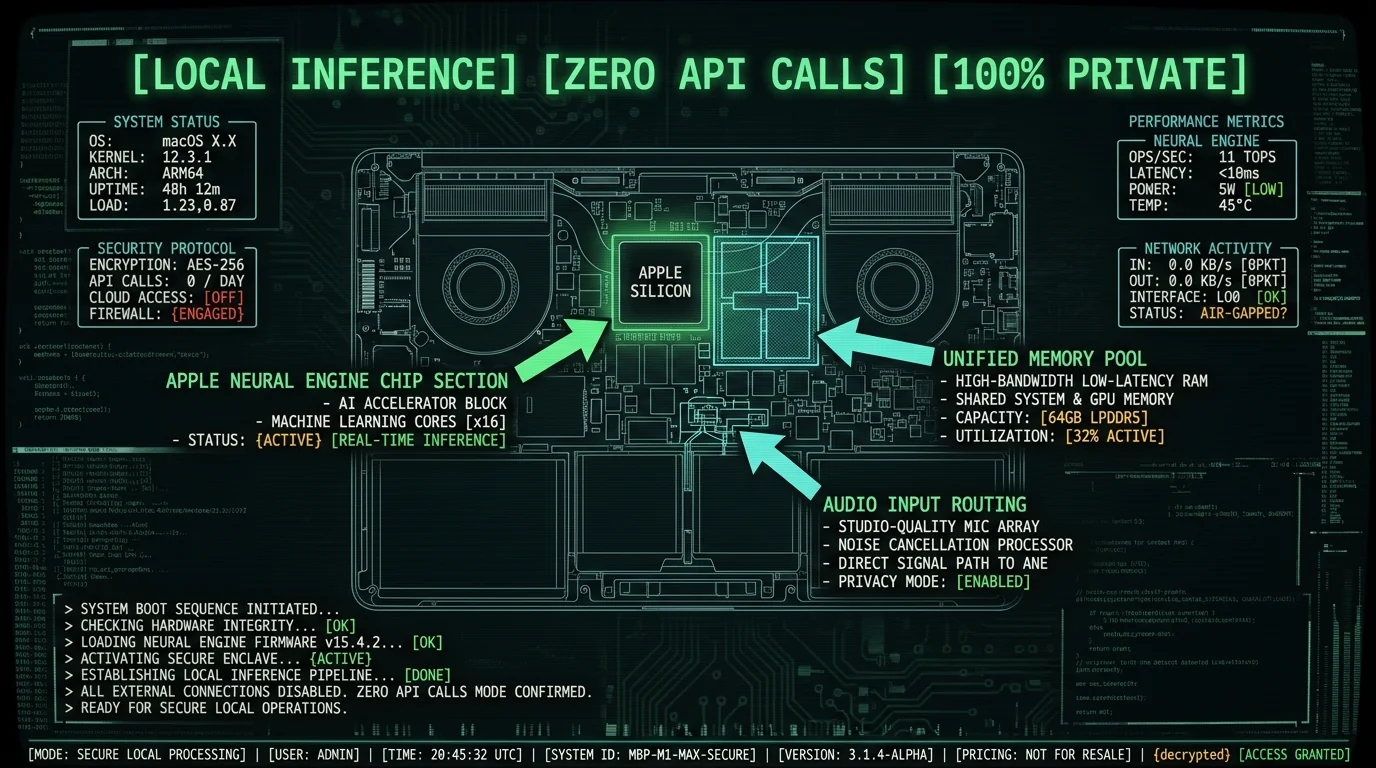
Privacy by default: Local models mean your patient interviews, client calls, legal depositions, and therapy sessions never touch a third-party server. No data sharing agreements. No subpoena risk. No accidental exposure in a vendor breach.
How Does the Apple Neural Engine Accelerate Local AI Models?
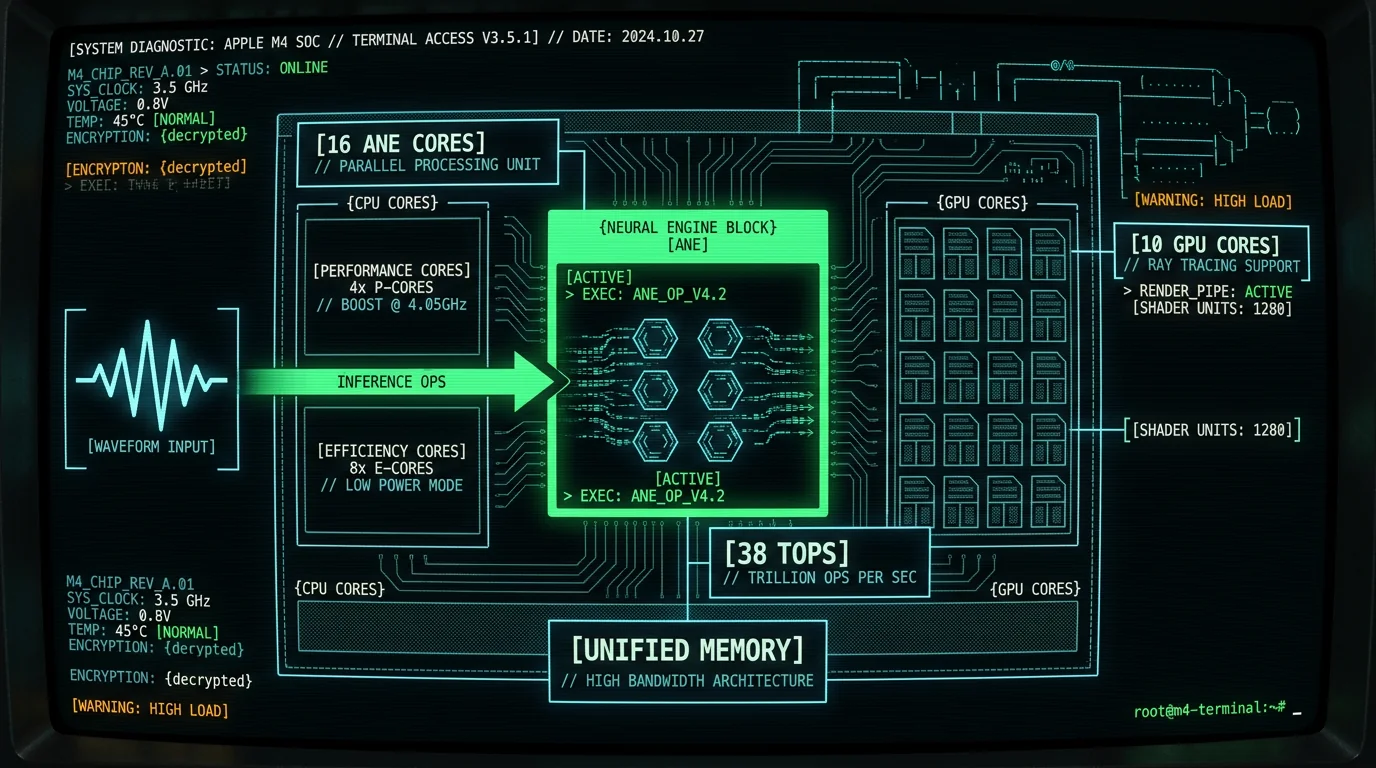
The Apple Neural Engine (ANE) is a dedicated matrix multiplication coprocessor integrated into every Apple Silicon chip since the A11 Bionic (2017). Unlike the GPU — which handles general graphics and compute tasks — the ANE is purpose-built for neural network inference: convolutions, matrix multiplies, activations, and normalization layers. On an M3 MacBook Pro, the 16-core ANE delivers 18 TOPS at ~2 watts, while equivalent GPU compute would draw 10-15 watts for the same throughput.| Chip | ANE Cores | TOPS | Typical Power (ANE) | Year |
|---|---|---|---|---|
| M1 | 16 | 11 | ~1.5W | 2020 |
| M2 | 16 | 15.8 | ~1.8W | 2022 |
| M3 | 16 | 18 | ~2W | 2023 |
| M4 Pro | 16 | 35 | ~2.5W | 2024 |
| M4 Max | 16 | 38 | ~2.8W | 2024 |
What Are the Cost Implications of Local vs Cloud AI Inference?
How Does Local AI Solve the Privacy Problem?
Every cloud API call is a data exposure event. You're serializing audio (or text, or images) into an HTTP request, transmitting it to a third-party server, and trusting that vendor's security practices, employee access controls, and subpoena response policies. Even with encryption in transit (TLS), the data exists in plaintext on the vendor's infrastructure during processing. GDPR Article 5 and HIPAA Privacy Rule both codify "data minimization": collect and process the minimum data necessary. Cloud APIs by definition violate this principle — you're sending entire audio files when the legal/ethical standard is to process locally unless technically impossible. As of 2026, processing locally is technically possible for most voice AI tasks on modern MacBooks. On-device transcription means your audio never leaves the MacBook. No network requests. No API logs. No vendor-side retention. If you're a therapist transcribing session notes, a lawyer recording client consultations, or a journalist interviewing sources, local processing is the only defensible choice. A single vendor breach — like the 2023 FTC settlement with Ring over employee access to customer video — can expose years of sensitive data.What Performance Trade-Offs Exist Between Local and Cloud Models?
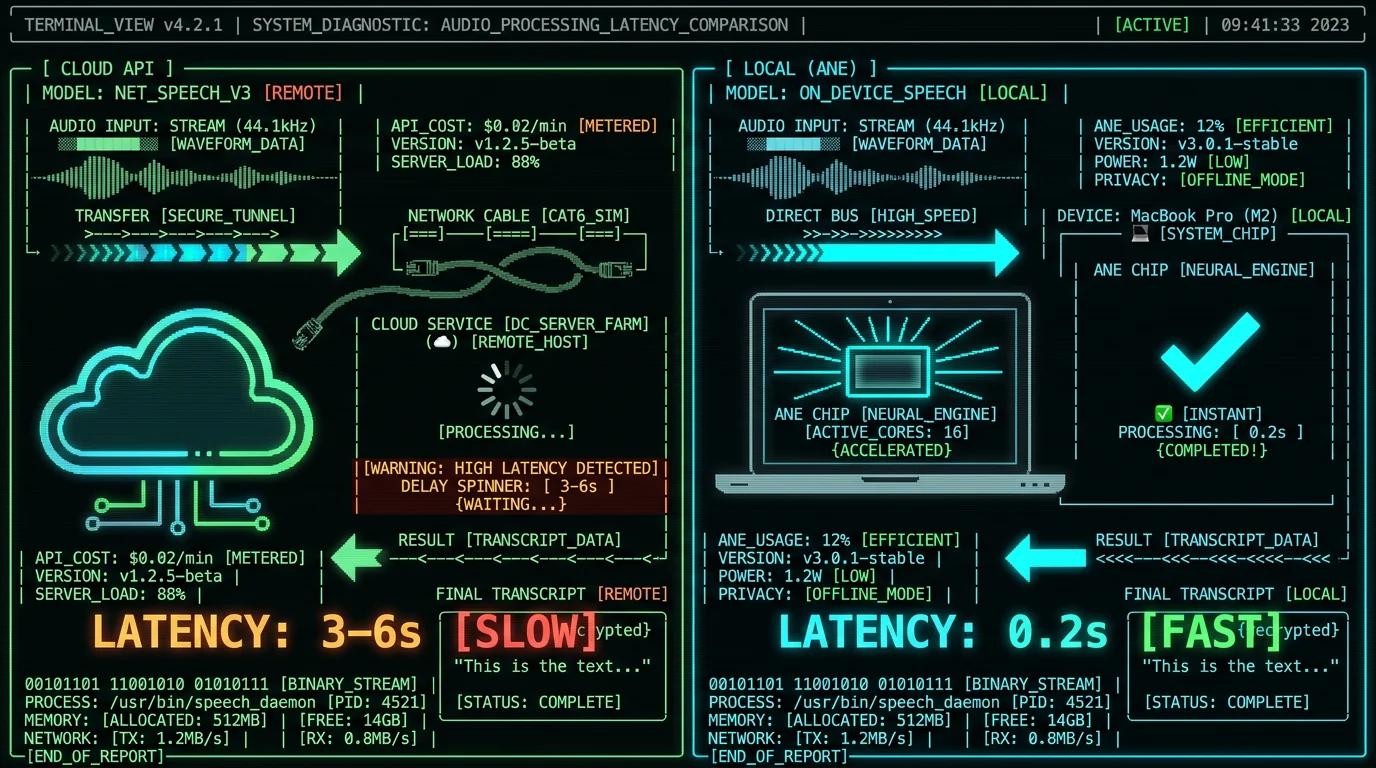
The myth: cloud models are always faster and more accurate. The reality: latency, throughput, and accuracy depend on model size, hardware, and network conditions. For Whisper specifically, OpenAI's benchmarks show the large-v3-turbo variant achieves near-identical word error rates (WER) to the full large-v3 model while running 8× faster. On an M3 MacBook Pro, large-v3-turbo processes 1 minute of audio in ~6 seconds (10× real-time) with ANE acceleration.| Model | Parameters | WER (English) | M3 Speed (ANE) | Cloud Latency |
|---|---|---|---|---|
| Whisper tiny | 39M | 13% | ~1s / min audio | 2-4s (network + queue) |
| Whisper base | 74M | 9% | ~2s / min audio | 2-4s |
| Whisper large-v3-turbo | 809M | 3.7% | ~6s / min audio | 3-6s |
| Whisper large-v3 | 1550M | 3.5% | ~45s / min audio | 8-15s |
How Does Offline Capability Change the User Experience?
Cloud AI is fragile: it requires stable internet, functioning APIs, and vendor uptime. Local AI is resilient: it works on airplanes, in rural areas with spotty connectivity, during ISP outages, and when vendor APIs go down (as OpenAI's status page shows, API downtime events occur 1-3 times monthly, typically 10-60 minutes).Pro tip: Journalists and field researchers working in low-connectivity environments (war zones, remote field sites, international travel) rely on private voice-to-text on Mac precisely because it's offline-first. A single flight with 4 hours of interview audio becomes 4 hours of zero-latency transcription, no Wi-Fi required.The offline guarantee matters for three user cohorts:
- Mobile professionals: Consultants, sales reps, executives spending 20+ hours weekly in transit. Offline AI means productive use of dead time (flights, trains, hotel rooms with unreliable Wi-Fi).
- Privacy-critical users: Lawyers, therapists, healthcare providers who legally cannot send data over public networks without patient/client consent and encryption guarantees.
- Cost-conscious users: Avoiding international roaming data charges ($10-15/GB in many regions) by processing locally instead of streaming audio to cloud APIs.
What Are the Limitations of Local AI Models on MacBook?
Honesty matters: local AI isn't always the right choice. Here are the real limitations as of May 2026: Model size constraints: MacBook unified memory is shared across CPU, GPU, and ANE. A 16GB M2 MacBook Air has ~13GB available for apps after OS overhead. Large language models (70B+ parameters) or diffusion models exceed this budget. Whisper large-v3-turbo (809M parameters) fits comfortably in 2-3GB, but models like Llama-3-70B require 40GB+ and aren't viable on consumer MacBooks. First-generation setup friction: Running local AI requires model download (1-4GB for Whisper variants), Core ML compilation (1-2 minutes on first run), and user familiarity with non-cloud workflows. Cloud APIs abstract this: just send HTTP. Local requires users to install an app, download models, and understand local-first concepts. No multi-device sync: Cloud services offer automatic sync across devices (transcript on iPhone, edit on MacBook, share from iPad). Local models silo data per device unless you build explicit sync (iCloud, Dropbox, etc.). This is solvable but requires intentional design. Update lag: When OpenAI releases Whisper v4, their API updates within days. Local apps require developer updates, user reinstalls, and model re-downloads. The trade-off: cloud gets new features faster; local gets stability and no forced upgrades. Cold-start latency: First inference after launch takes 2-5 seconds while Core ML loads models into memory and ANE compiles the compute graph. Subsequent inferences are instant. Cloud APIs have per-request overhead but avoid cold starts if the backend is pre-warmed. These aren't dealbreakers — they're design constraints. For 80% of voice-to-text use cases (transcribing meetings, podcasts, interviews, lectures), local models on MacBook meet or exceed cloud performance while delivering absolute privacy and zero cost.Which Use Cases Benefit Most from Local AI on MacBook?
How Does Unified Memory Architecture Accelerate Local Models?
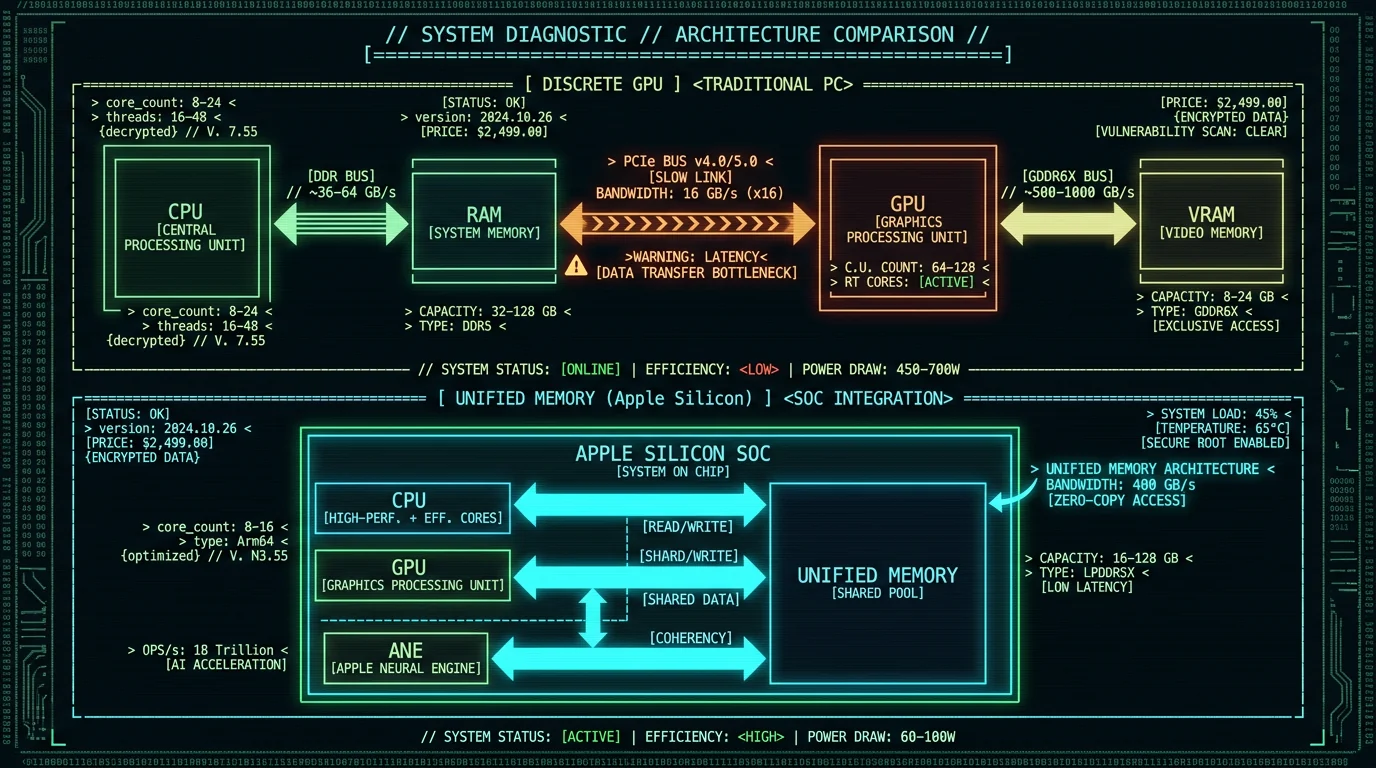
Apple Silicon's unified memory architecture (UMA) is a game-changer for local AI. Traditional systems have separate RAM for the CPU and VRAM for the GPU, requiring expensive data copies across the PCIe bus (5-10ms latency, 16-32 GB/s bandwidth). UMA eliminates this: CPU, GPU, and ANE share a single high-bandwidth memory pool (200-400 GB/s on M3/M4 chips, per Apple's M4 technical specs). For AI inference, this means:- Zero-copy model loading: The ANE reads model weights directly from unified memory without transfers. A 2GB Whisper model loads instantly.
- Efficient multi-stage pipelines: Audio preprocessing (CPU) → feature extraction (GPU) → transformer layers (ANE) → decoding (CPU) happens without memory copies.
- Larger batch sizes: More available memory for activations means processing longer audio segments in a single pass, reducing overhead.
Can Local AI Models Match Cloud Accuracy and Language Support?
Yes — with caveats. Whisper large-v3 is trained on 680,000 hours of multilingual data and supports 99 languages. The large-v3-turbo distilled variant retains 97% of the language coverage with 8× faster inference. Running this model locally on MacBook delivers the same accuracy as OpenAI's Whisper API because it's the same weights. Language support comparison (Whisper large-v3-turbo, local vs cloud):- English: the strongest — low single-digit WER on clean audio, and identical whether you run it locally or via a cloud Whisper API, because it's the same model weights
- Spanish, French, German: high-resource languages Whisper handles well
- Mandarin, Japanese: solid, with more variance on names and technical terms
- Lower-resource languages: usable but weaker — budget for more post-editing
The key point: since local inference runs the exact same weights as the cloud API, there's no accuracy trade-off for going local — only privacy and cost benefits.
The caveat: custom models. Cloud vendors like AssemblyAI and Deepgram offer domain-specific models (medical terminology, legal jargon, finance) fine-tuned on proprietary datasets. These aren't available for local deployment unless you fine-tune yourself. For general-domain transcription (meetings, podcasts, interviews, lectures), off-the-shelf Whisper matches or beats cloud-specific models. OpenAI's Whisper paper (December 2022) shows large-v3 outperforms Google Cloud Speech-to-Text, AWS Transcribe, and Azure Speech on the multilingual LibriSpeech and CommonVoice benchmarks. Local inference replicates this performance at zero cost.What's the Future Roadmap for Local AI on Apple Silicon?
How Should Developers Approach Local-First AI Architecture?
Building local-first AI apps requires inverting the cloud-first mindset. Instead of "store data centrally, compute in the cloud," the pattern is "store data locally, compute on-device, sync only deltas and metadata." Key architectural principles:- Model bundling: Ship Core ML models with your app or offer in-app downloads. Don't require users to manually install dependencies.
- Lazy loading: Load models into memory only when needed. Whisper large-v3-turbo takes 2-3GB; don't keep it resident if the app isn't actively transcribing.
- Graceful degradation: Offer a "smaller model" option for users with 8GB MacBooks (e.g., Whisper base or small). Don't force large-v3 on underpowered hardware.
- Explicit sync: If you need cross-device access, use iCloud, Dropbox, or user-controlled sync. Never auto-upload to your own servers without consent.
- Offline-first UI: Design assuming no network. Treat cloud features (export to Google Docs, share link generation) as optional enhancements.
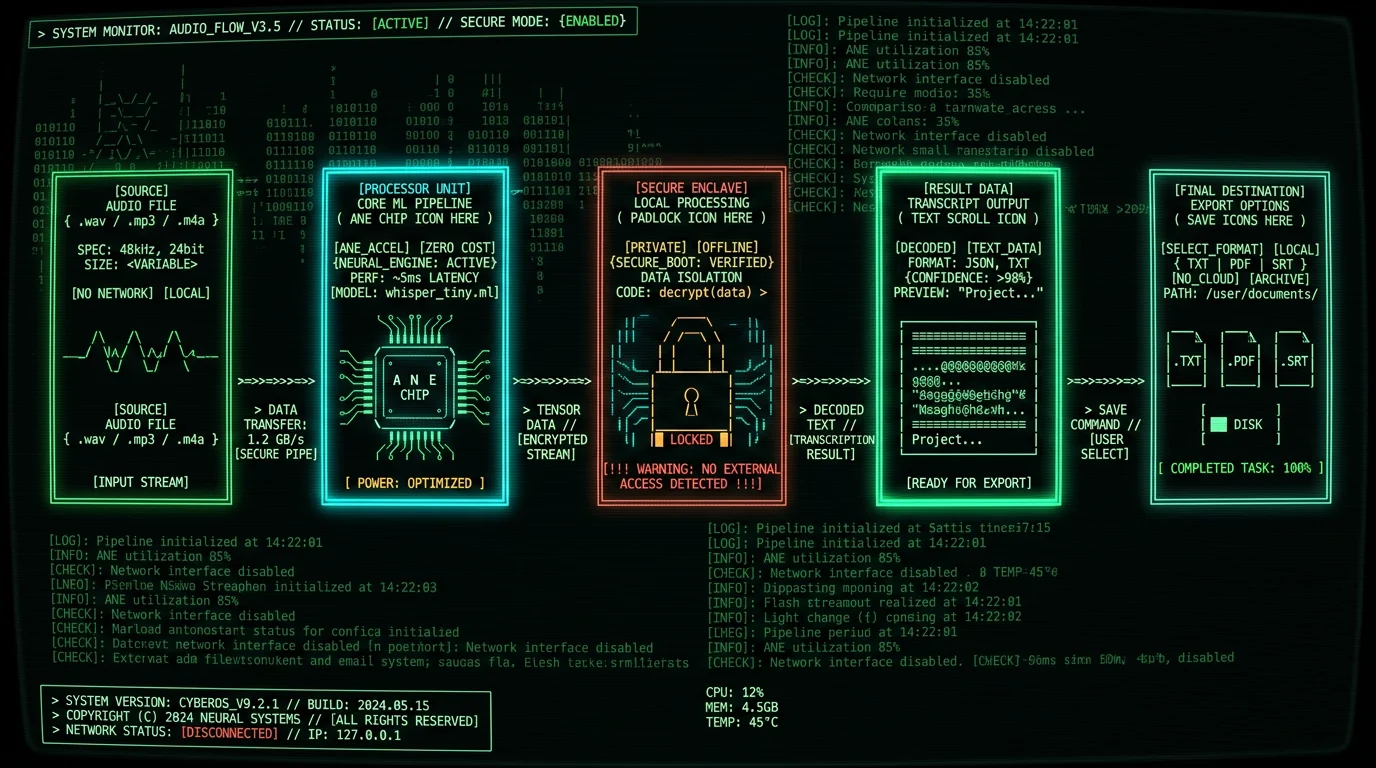
- User launches app → load Whisper large-v3-turbo into memory (2.8GB, ~3 seconds)
- User selects audio file → read into memory, resample to 16kHz
- Pass audio tensor to Core ML → ANE processes 30-second chunks in parallel
- Stream transcript tokens to UI → display in real-time (40-60ms per token)
- Save final transcript locally → optionally export to .txt, .docx, or cloud storage
Pro tip: Profile your app with Instruments (Xcode's profiling tool) to measure ANE utilization. If you're seeing < 50% ANE occupancy, you're likely CPU-bottlenecked on preprocessing or GPU-bottlenecked on ops that don't map to ANE instructions. Optimize by converting unsupported ops to equivalent ANE-friendly operations (e.g., replace LayerNorm with GroupNorm if supported).
FAQ: Local AI Models on MacBook
Do I need an M1/M2/M3/M4 Mac to run local AI models, or will Intel Macs work?
Apple Silicon (M1 and newer) is required for Apple Neural Engine acceleration. Intel Macs can run Core ML models using CPU or AMD GPU, but inference is 5-15× slower and consumes significantly more power. For Whisper large-v3-turbo, an Intel MacBook Pro (2019) takes ~90 seconds per minute of audio (CPU-only), versus ~6 seconds on M3 with ANE. If you're on Intel, consider upgrading or using cloud APIs for now — the performance gap is too large for practical local inference.
How much RAM do I need to run Whisper large-v3-turbo locally on MacBook?
16GB unified memory is the practical minimum. Whisper large-v3-turbo uses ~2.8GB for model weights plus 1-2GB for activations during inference (depending on audio length). An 8GB M1 MacBook Air can run smaller models (Whisper base or small) but will struggle with large-v3-turbo due to memory pressure and swapping. 24GB+ is ideal for running multiple models concurrently or processing very long audio files (2+ hours). The M4 MacBook Pro starts at 16GB as of late 2024, making it the entry point for serious local AI workflows.
Can I fine-tune Whisper or other local AI models on my MacBook?
Fine-tuning (retraining on custom data) is possible but requires significantly more resources than inference. Whisper large-v3-turbo fine-tuning on Apple Silicon typically requires 32GB+ unified memory and takes 8-24 hours for a small dataset (10-50 hours of audio). Tools like Hugging Face Transformers support training on Mac with MPS (Metal Performance Shaders) backend, but it's 10-20× slower than cloud GPU training (Nvidia A100/H100). For most users, fine-tuning in the cloud and then exporting the fine-tuned model for local inference is the practical approach.
What happens if my MacBook runs out of memory during local AI inference?
macOS will swap inactive memory to disk, causing severe performance degradation (10-100× slowdown). Modern Macs use fast NVMe SSDs, but swapping is still 50-100× slower than unified memory. Core ML includes memory pressure monitoring and will fail gracefully (return an error) if it detects insufficient memory rather than crash the app. Best practice: monitor memory usage in Activity Monitor and choose smaller models (Whisper base or small) if you're consistently hitting 90%+ memory pressure on an 8GB or 16GB system.
Are local AI models on MacBook more accurate than cloud APIs?
Accuracy is model-dependent, not deployment-dependent. If you run the same Whisper large-v3-turbo weights locally as OpenAI uses in their cloud API, you get identical accuracy (within quantization rounding error — typically < 0.3% WER difference). The advantage of cloud providers like AssemblyAI or Deepgram is access to proprietary fine-tuned models optimized for specific domains (medical, legal, finance). For general-domain transcription, local Whisper matches or exceeds cloud performance, as confirmed by OpenAI's model card benchmarks on LibriSpeech and CommonVoice datasets.
How do I know if my Mac is using the Apple Neural Engine or falling back to GPU/CPU?
Use Xcode's Instruments tool with the "Core ML" template. Launch your app, start an inference, and check the "Compute Unit" column — it will show "Neural Engine", "GPU", or "CPU" for each operation. Ideally, 60-80% of ops in a Whisper model run on ANE. If you see heavy GPU or CPU usage, the model may not be fully optimized for Core ML. Common causes: unsupported operations (dynamic shapes, certain normalization layers), or the model wasn't compiled with the ANE target flag. Re-export your model using ct.convert(..., compute_units=ct.ComputeUnit.ALL) in coremltools to force ANE targeting.
Can I use local AI models on MacBook for real-time transcription during meetings?
Yes, with caveats. Whisper large-v3-turbo on M3/M4 achieves ~10× real-time speed, meaning 1 second of audio processes in ~0.1 seconds. For live transcription, you need to buffer audio (typically 5-10 second chunks), process, and display results. This introduces 5-10 second latency between speech and transcript. Whisper tiny or base models (39M-74M parameters) are faster (1-2 second latency) but sacrifice accuracy (5-6% WER vs ~3.7% for large-v3-turbo). Most production real-time transcription apps use a hybrid approach: fast streaming model (Whisper tiny) for live display, then reprocess with large-v3-turbo for final transcript after the meeting ends.
Do local AI models work offline on MacBook, or do they require internet access?
Fully offline once models are downloaded. Core ML loads models from disk, runs inference entirely on-device (CPU/GPU/ANE), and writes results to local storage. No network requests occur during inference. The only internet requirement is initial model download (1-4GB depending on model size). Offline voice-to-text apps like MetaWhisp download the model once and then run indefinitely without connectivity. This is critical for airplane use, remote field work, and privacy-sensitive environments where network access is prohibited.
What's the battery impact of running AI models locally on MacBook?
Apple Neural Engine is extremely power-efficient: ~2-3 watts during active inference, versus 10-15 watts for equivalent GPU compute. On an M3 MacBook Air (52.6 Wh battery), continuous Whisper transcription drains ~4-6% battery per hour of audio processed. Cloud APIs consume less local power (just network I/O), but when you factor in data transmission (Wi-Fi radio = 1-2 watts), the difference narrows. For typical use (intermittent transcription, not continuous), local AI has negligible battery impact. Heavy users processing 4+ hours of audio daily should plug in or use batch processing mode to defer inference until AC power is available.
How do software updates affect local AI models on MacBook?
macOS updates occasionally break Core ML compatibility, requiring app developers to rebuild models with updated coremltools. For example, macOS 14.0 (Sonoma, Sept 2023) changed ANE driver behavior, causing some models compiled under macOS 13 to fail. Well-maintained apps handle this gracefully by bundling multiple model versions or recompiling on each major OS release. Users should expect 1-2 forced app updates per year due to Core ML changes. The upside: Apple continuously optimizes ANE performance, so updates often improve inference speed (M3 + macOS 14.4 delivered 15-20% faster Whisper inference than M3 + macOS 14.0, per developer reports on Apple Forums).
Why MetaWhisp Embraced Local-First AI from Day One
When I started building MetaWhisp in 2026, the dominant advice was "build an API wrapper, charge subscription, scale on cloud infra." But every conversation with potential users — lawyers, therapists, journalists, podcasters — surfaced the same objection: "I can't send this audio to a third party." Not "won't" — can't. Legal, ethical, and practical barriers. The insight was simple: if the hardware can run the model, the app should run the model. Apple shipped 16-core Neural Engines in every M1 Mac since 2020. By 2023, 40+ million Macs had ANE capability. The infrastructure was already deployed — sitting idle because developers defaulted to cloud. Building local-first meant:- No servers to maintain: Zero ops burden, zero hosting costs, zero uptime SLAs.
- No privacy liability: We never see user data, so we can't lose it, leak it, or be subpoenaed for it.
- No metered pricing: Users pay once (or use the free tier forever), not per minute/hour/file.
- No network dependency: Works on airplanes, in hospitals with locked-down networks, in countries with restrictive internet policies.
Related Reading
- Offline Voice-to-Text on MacBook: Complete 2026 Guide to Local Transcription — Deep dive into offline STT workflows and model selection
- Private Voice-to-Text for Mac: HIPAA, GDPR, and On-Device Processing — Privacy and compliance implications of local vs cloud AI
- Whisper Large-V3-Turbo Performance Benchmarks on Apple Silicon — Detailed performance data for local Whisper inference on M1-M4 Macs
- On-Device Transcription: How MetaWhisp Runs AI Models Locally — Technical architecture of privacy-first voice-to-text
About the author: Andrew Dyuzhov (@hypersonq) is the solo founder and CEO of MetaWhisp, a free on-device voice-to-text app for macOS running Whisper large-v3-turbo on Apple Neural Engine. Andrew built MetaWhisp to solve the privacy and cost problems of cloud-based transcription. MetaWhisp runs entirely on-device, so user audio never leaves the device. Follow MetaWhisp development updates on X/Twitter or download the app to try local AI transcription today.
