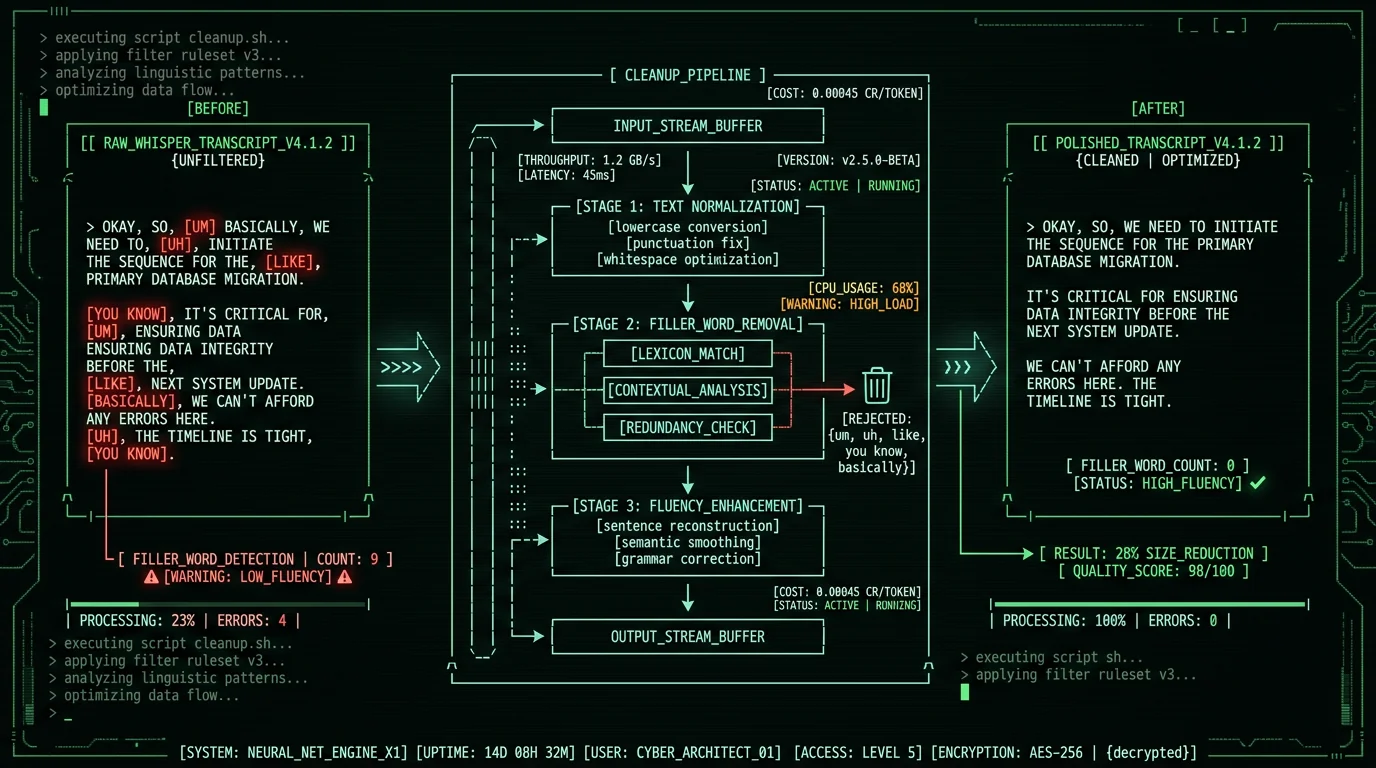
Why Does Whisper Keep Filler Words in Transcripts?
Whisper transcribes what you actually said. Every hesitation, every restart, every "um." That's the point. It's built for verbatim accuracy, and stripping fillers would mean bolting on post-processing logic that costs accuracy and needs per-language tuning — a design choice OpenAI made on purpose, per OpenAI's Whisper repository documentation. Sometimes that's exactly right. Legal transcription, medical dictation, a quote for a story — every "um" is part of the record there. But for emails, Slack messages, blog drafts, meeting notes? The fillers are just noise. They have to come out before the transcript is worth anything. The usual suspects in English:- Hesitation markers: um, uh, hmm, er, ah
- Discourse particles: like, you know, I mean, sort of, kind of
- Intensifiers used as fillers: basically, literally, actually, honestly
- Repetition fragments: "I-I-I think", "we-we need", "the the the"
- Restart phrases: "wait, actually", "no, scratch that", "let me start over"
Method 1: MetaWhisp Clean Mode (Automatic at Dictation Time)
Least friction wins. The easiest path is a voice-to-text app that strips fillers automatically, as part of the transcription itself. That's what MetaWhisp's Clean mode does. Your audio runs through Whisper for the transcription, then through a light GPT pass that pulls the fillers and fixes grammar — without touching your voice. Setup:- Download MetaWhisp (free, requires Apple Silicon M1+)
- Open MetaWhisp Settings → Processing Modes
- Select Clean mode
- For free tier: enter your OpenAI API key (costs roughly $0.01-0.05/day of normal use). For Pro tier: no API key needed.
- Press Right Option, speak naturally with fillers, release
- The text that pastes into your active app has fillers removed automatically
"so um I was thinking like we should probably uh move the deadline you know to next Friday because um the design team needs like more time to you know finish things"After (Clean mode output):
"I was thinking we should move the deadline to next Friday because the design team needs more time to finish."Here's the thing about Clean mode. It keeps your meaning and your phrasing. It just removes the fillers, fixes the grammar, and adds punctuation. It does NOT rearrange sentences or swap in fancier words — that's Rewrite mode's job. Reach for Clean when you want polished text that still sounds like you.
Pro tip: Make Clean your default mode for daily dictation. Flip to Raw only when verbatim actually matters — meeting notes, journaling, legal transcription. Then filler-free output just happens, and you never have to remember to turn it on for each recording.
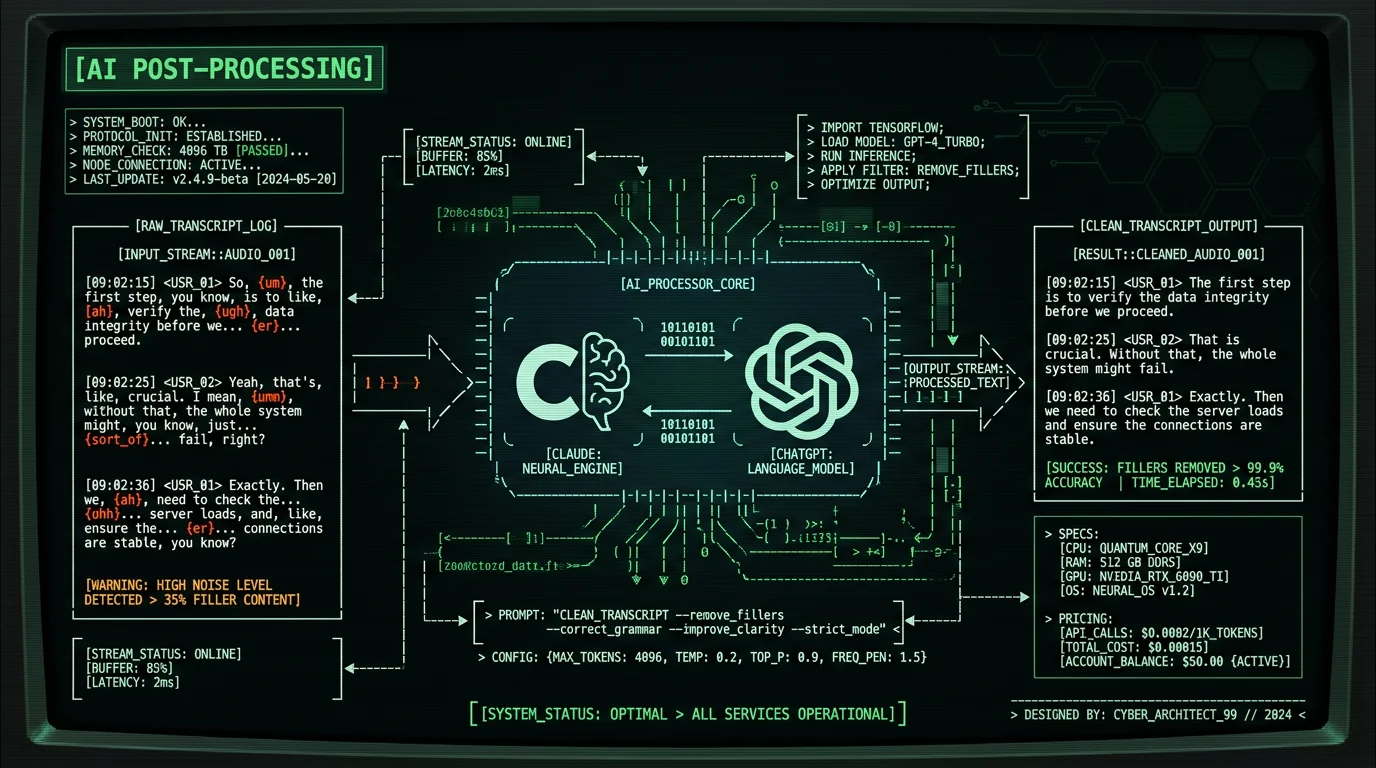
Method 2: AI Post-Processing with ChatGPT or Claude
Already have a transcript from another app — MacWhisper file transcription, Wispr Flow, raw whisper.cpp, Word M365 Transcribe? Paste it into ChatGPT or Claude with a tight prompt. That's the fastest cleanup there is. Here's a prompt that holds up:You are a transcript editor. Below is a verbatim voice transcript that contains
filler words and hesitations. Remove fillers (um, uh, like, you know, I mean,
basically, literally, actually as fillers), fix grammar, add proper punctuation,
and capitalize sentence starts. PRESERVE the original meaning, vocabulary, and
sentence structure. Do NOT rewrite, paraphrase, or upgrade word choice. Just
clean up.
Transcript:
[paste your transcript here]- ChatGPT (free tier sufficient for short transcripts; Plus tier for long ones)
- Claude (free tier sufficient; Pro for higher-volume use)
- Google Gemini (similar capability)
Method 3: Regex Script for Bulk Processing
Got dozens or hundreds of transcripts to clean? AI APIs are slow and overkill here. A regex script knocks out 90% of the fillers in milliseconds, for basically nothing. Python script:import re
FILLERS = [
r'\b(um+|uh+|hmm+|er+|ah+|mhm+)\b', # hesitations
r'\b(like|you know|I mean|sort of|kind of)\b', # discourse particles
r'\b(basically|literally|actually|honestly)\b', # intensifiers (use with care)
r'\b(\w+)-\1\b', # word repetitions: "the the"
]
def remove_fillers(text):
for pattern in FILLERS:
text = re.sub(pattern, '', text, flags=re.IGNORECASE)
# Collapse multiple spaces
text = re.sub(r'\s+', ' ', text)
# Fix punctuation spacing
text = re.sub(r'\s+([.,!?])', r'\1', text)
return text.strip()
# Process a transcript file
with open('transcript.txt') as f:
raw = f.read()
clean = remove_fillers(raw)
with open('transcript-clean.txt', 'w') as f:
f.write(clean)sed -E 's/\b(um|uh|like|you know|I mean|basically|literally)\b//gi' transcript.txtMethod 4: Manual Cleanup in Word or BBEdit
Sometimes you want full control over a single transcript. Find-and-replace in any text editor does the job. It's also your fallback when the other methods leave behind edge cases you'd have to fix by hand anyway. In Microsoft Word:- Press Cmd+F to open the Find pane
- Click the gear icon → Advanced Find & Replace
- Enable Use wildcards in the search options
- Find:
\b(um|uh|hmm|er|ah)\b→ Replace: (empty) → Replace All - Repeat with discourse particles:
\b(like|you know|I mean)\b - Manual pass for remaining edge cases
- Cmd+F for Find
- Enable Grep for regex search
- Search pattern:
\b(um|uh|hmm|like|you know|I mean)\b - Replace with empty string
- Use Replace All
What Counts as a Filler Word in Different Contexts?
The same word can be filler in one sentence and content in the next. That's the whole problem:| Word | Filler use | Content use |
|---|---|---|
| like | "It was, like, really cold" | "I like coffee" |
| basically | "Basically, I mean, you know" | "This is basically a regex engine" |
| literally | "I literally just woke up" | "Translated literally from French" |
| actually | "It's, actually, kind of fine" | "That's actually wrong; the correct answer is X" |
| honestly | "Honestly, I don't, you know" | "He answered honestly about the bug" |
| you know | "It was, you know, complicated" | "You know my brother, right?" |
How Many Filler Words Does the Average Person Use?
It depends — heavily — on the speaker, the setting, the language. Per Wikipedia's overview of filler words in linguistics, English speakers run roughly 2-5% fillers in casual conversation, dropping to 1-2% in formal presentations and climbing to 5-8% when they're winging it. Do the math. A 1,000-word raw Whisper transcript of casual talk carries 20-50 fillers. A presentation, 10-20. An off-the-cuff brainstorm, 50-80. The cleanup workload tracks right along with it. If you dictate routine work stuff — Slack, emails, notes — your filler rate tends to sit around 3-4%. That's roughly 30-40 fillers per 1,000 words. By hand, pulling them out runs 2-3 minutes per 1,000 words. Clean mode or AI does it in seconds.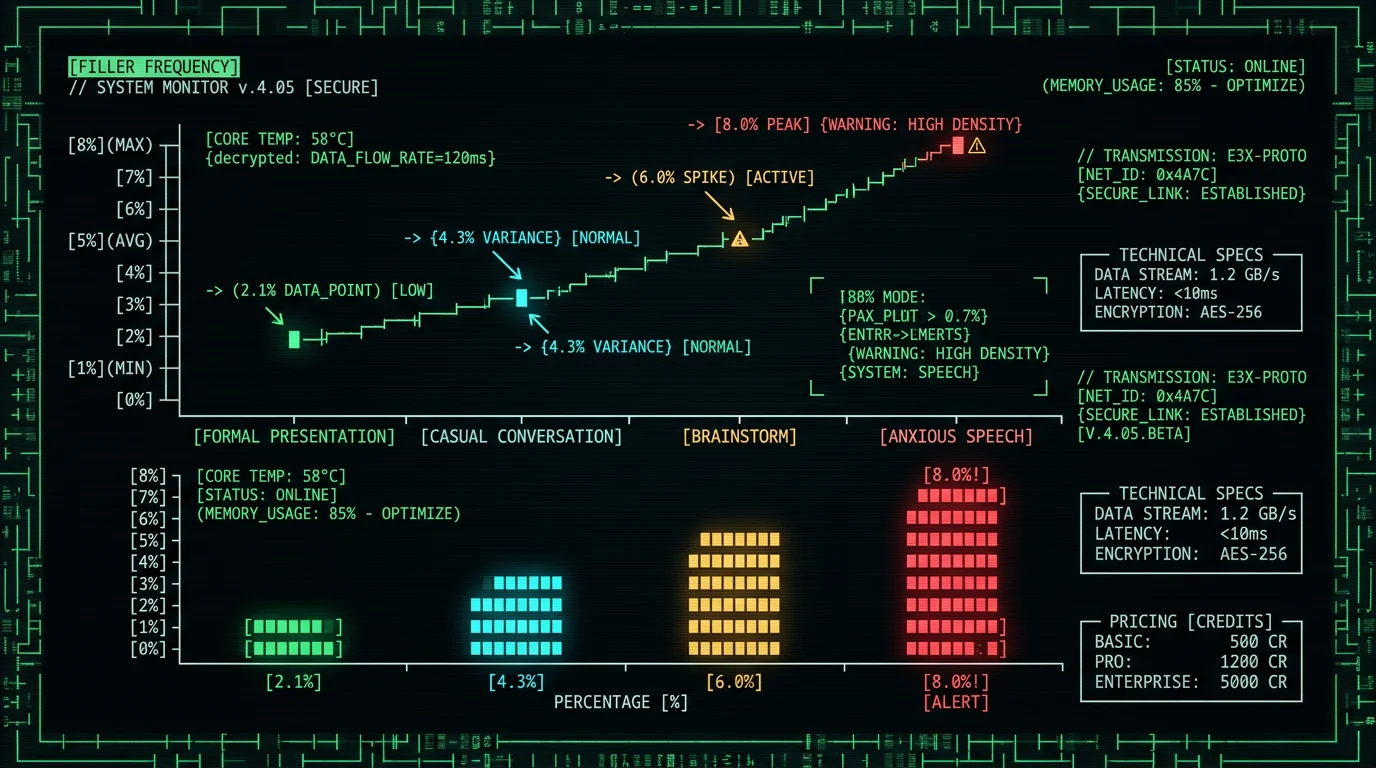
What's the Difference Between Filler Removal and Rewrite Mode?
People mix these two up constantly. They're not the same operation:- Filler removal (Clean / Correct mode) — Pulls the fillers, fixes grammar, adds punctuation. Keeps your meaning, your sentence structure, your vocabulary. Reads like a cleaned-up version of what you said.
- Rewrite mode — Rebuilds sentences, swaps in better words, shifts the tone. Reads like a pro rewrote what you said. Great for client emails or docs. But your voice is gone.
Original (Raw): "so um I was thinking like we should probably uh move the deadline you know to next Friday because um the design team needs like more time"Clean keeps the way you actually talk ("I was thinking we should..."). Rewrite formalizes it ("I'd like to propose..."). Clean for Slack and casual email. Rewrite for client comms and published docs.
Clean mode: "I was thinking we should move the deadline to next Friday because the design team needs more time."
Rewrite mode: "I'd like to propose extending the deadline to next Friday. The design team requires additional time to deliver quality work."
How Do Other Voice-to-Text Apps Handle Filler Removal?
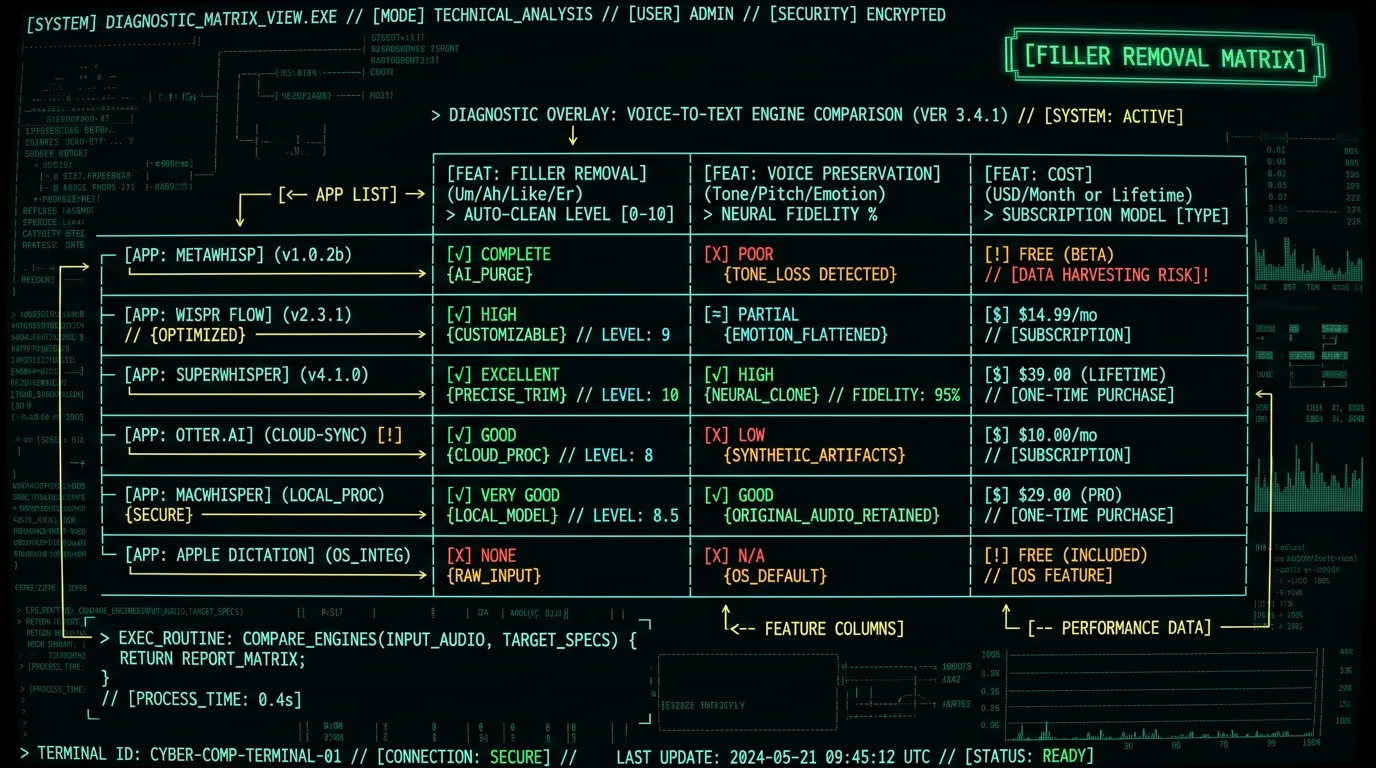
Here's where the major Mac voice-to-text apps land on filler removal in 2026:- MetaWhisp Clean mode — Built in, GPT post-processing, keeps your voice. Free with your own OpenAI key, or included in Pro.
- Wispr Flow — Built-in AI editing on Pro tier ($12/month). Leans toward Rewrite-style restructuring instead of light filler removal. Doesn't protect your voice as much.
- SuperWhisper Custom Modes — You write the AI prompt per mode. Clean-style, Rewrite-style, whatever you want — the flexibility is the whole point. Pro tier $8.49/month.
- Otter.ai — Has "Insights" for summarizing meetings, but no separate per-transcript filler removal. Default transcripts keep the fillers.
- MacWhisper — Raw Whisper output, no cleanup. Post-process it yourself with AI or a script.
- Apple Dictation — No AI cleanup at all. Fillers come through verbatim.
Does Filler Removal Hurt Transcript Accuracy?
No. Filler removal is post-processing — it doesn't touch the underlying Whisper accuracy. The model still hears "um" and writes it down; the cleanup pass deletes it afterward. Whisper's word error rate on clean English sits in the low single digits — about 3.5% for large-v3 and 3.7% for large-v3-turbo per OpenAI's model card, and 2.76% in MetaWhisp's own LibriSpeech test-clean benchmark. That number measures core transcription accuracy, which is a separate thing from whether fillers stay in. What does hurt accuracy is overeager filler removal that takes real words with it. The intensifier problem again — literally, actually, basically pulling double duty as filler and content — is where content loss usually creeps in. How to dodge it:- Conservative regex patterns — Leave the intensifiers alone; only strip clear hesitation markers (um, uh, hmm)
- AI cleanup with context understanding — Let GPT or Claude make the filler-vs-content call
- Two-pass workflow — Regex for the clear wins, then manual or AI for the gray areas
Frequently Asked Questions About Filler Word Removal
How do I automatically remove filler words from Whisper transcripts?
Use a voice-to-text app with built-in cleanup, like MetaWhisp's Clean mode. Your audio runs through Whisper for the transcription, then through a light GPT pass that pulls the fillers (um, uh, like, you know) and fixes grammar without changing your voice. Setup takes 5 minutes. Cost is roughly $0.01-0.05 per day on free tier with your own OpenAI key, or included in Pro tier.
Why does Whisper keep "um" and "uh" in transcripts?
Whisper is built for verbatim accuracy. Its training data — 680,000 hours of audio with paired transcripts — kept fillers in because professional captioning keeps them for accuracy. And Whisper's neural decoder has no filler-skipping layer the way older rule-based ASR systems did. So post-processing is the only way to get fillers out of Whisper output. That's exactly what Clean mode and AI cleanup do.
What's the cheapest way to clean up Whisper transcripts?
Cleaning up now and then? Paste the transcript into free ChatGPT or Claude with a cleanup prompt. Zero cost for most users. High volume? Write a regex script in Python or sed — milliseconds, zero cost. Daily dictation? MetaWhisp Clean mode with your own OpenAI API key runs roughly $1-1.50 per month for typical use.
Should I use regex or AI for filler removal?
Regex for clear hesitation markers (um, uh, hmm, er, ah) — fast, free, no false positives. AI (ChatGPT, Claude, or MetaWhisp Clean mode) for the context-sensitive intensifiers (literally, actually, basically) where the word might be filler or content. The two-pass workflow does both: regex first for the cheap wins, AI second for the ambiguous cases.
Does filler removal change my voice in the transcript?
Clean mode and other "filler removal only" methods keep your voice — they pull hesitations and fix grammar but leave your sentence structure and vocabulary alone. Rewrite mode is a different operation, and it does change your voice by rebuilding sentences and upgrading word choice. Clean for casual writing where authenticity matters. Rewrite for formal client communication where polish matters more than voice.
Can I batch-process many Whisper transcripts at once?
Yes. For batch jobs, use a regex script in Python or sed that loops over your transcript files. Each one processes in milliseconds. Want higher quality with context awareness? Write a small Python script that calls the OpenAI API or Anthropic API with the cleanup prompt for each file. Cost via API is roughly $0.001-0.005 per 1,000-word transcript.
What about filler words in other languages?
Every language has its own. Spanish: "eh", "este", "o sea". French: "euh", "ben", "tu vois". German: "ähm", "halt", "äh". Russian: "ну", "это", "как бы". Whisper keeps these too. AI cleanup with GPT or Claude handles non-English fillers fine because the LLMs are multilingual. Regex needs language-specific patterns. MetaWhisp's Clean mode handles fillers for 99 Whisper-supported languages via its GPT post-processing.
How accurate is automatic filler removal?
Depends on the word type. Clear hesitation markers (um, uh, hmm) are almost never content words, so automatic removal is highly reliable. Discourse particles (like, you know) come out cleanly most of the time, with the odd miss. Intensifiers (literally, actually, basically) are the hard case — context decides whether the word is filler or content, so expect more false positives there. AI methods handle those context-sensitive intensifiers better than regex does. We don't publish a measured accuracy percentage for this cleanup step.
About the Author
Andrew Dyuzhov is the solo founder and CEO of MetaWhisp, a free on-device voice-to-text app for macOS that runs Whisper large-v3-turbo on Apple Neural Engine. He built Clean mode and Rewrite mode to handle filler removal and text polish — for people who want dictated content that doesn't sound dictated. The four methods here come out of the hands-on work: tuning the Clean mode prompts, testing regex scripts against real Whisper transcripts, and helping users who needed transcript cleanup for journalism, legal, and academic workflows. Connect on X or GitHub.
Related Reading
- What Is Whisper large-v3-turbo? Local AI for Mac — the underlying transcription model
- Why Whisper Hallucinates in Silence — adjacent transcription quality issue
- Voice-to-Text for ADHD Writers — when Raw vs Clean mode matters
- 7 Best Voice-to-Text Apps for Mac (2026) — apps with built-in cleanup compared
- How to Transcribe an Audio File in Word on Mac — Word M365 + cleanup workflow
